Insights: What the System Noticed on Its Own
What you'll take away
- The most valuable thing a knowledge system can do is tell you something you didn't think to ask.
- Insights are observations the system generates across everything it knows — patterns, contradictions, gaps, and trends.
- They're proposals, not facts: each one waits for a human to confirm, dismiss, or resolve.
- Treating insights as a to-do list — confirm the useful, dismiss the noise, resolve what needs action — is what keeps the feature sharp.
A familiar analogy
The analyst you actually want isn't the one who answers your questions fastest. It's the one who walks into your office unprompted and says, "Two of our contracts contradict each other on the renewal date," or "We have three suppliers for that part but only one for this one — that's a risk," or "Nobody's touched the pricing for this account in three months." Nobody asked. They noticed, because they were looking at the whole picture while everyone else was heads-down on their piece of it.
A knowledge system is positioned to be that analyst, because it's the one thing that has seen the whole picture — every document, every entity, every connection, all at once. The Insights tab is where it volunteers what it noticed. This is the difference between a system that answers and a system that observes.
The mechanic: generate, then triage
Insights don't appear continuously — you Generate them, which tells the system to scan across everything it holds and surface what stands out. What comes back falls into four kinds:
- Patterns — recurring structures worth knowing. "Most of your high-value contracts route through one contact."
- Contradictions — facts that disagree. "One document says the renewal is in March; another says June." These are the highest-value insights, because a contradiction is a problem you'd otherwise find at the worst possible moment.
- Knowledge Gaps — things the graph implies should exist but can't find. "This product has a supplier and a contract but no listed owner."
- Trends — change over time. "Three of your facts about this account have gone stale in the last quarter."
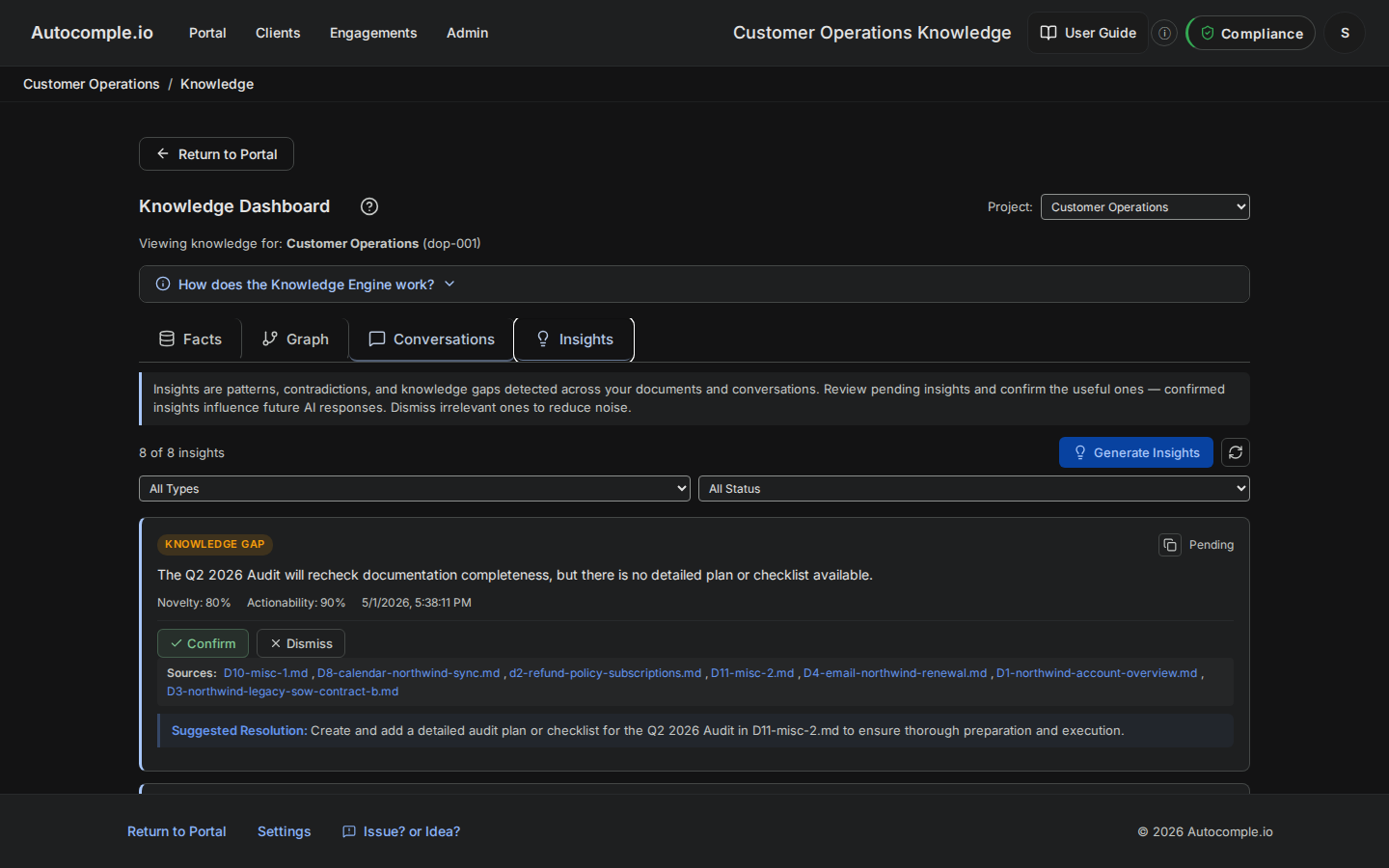
Crucially, an insight is a proposal, not a verdict. The system is pattern-matching across your knowledge, and like any pattern-matcher it will sometimes flag something that's actually fine. So every insight comes with a triage workflow:
- Confirm — yes, this is real and worth keeping in view.
- Dismiss — not useful, or a false alarm; clear it out.
- Resolve — this needs action, and here's what was done about it.
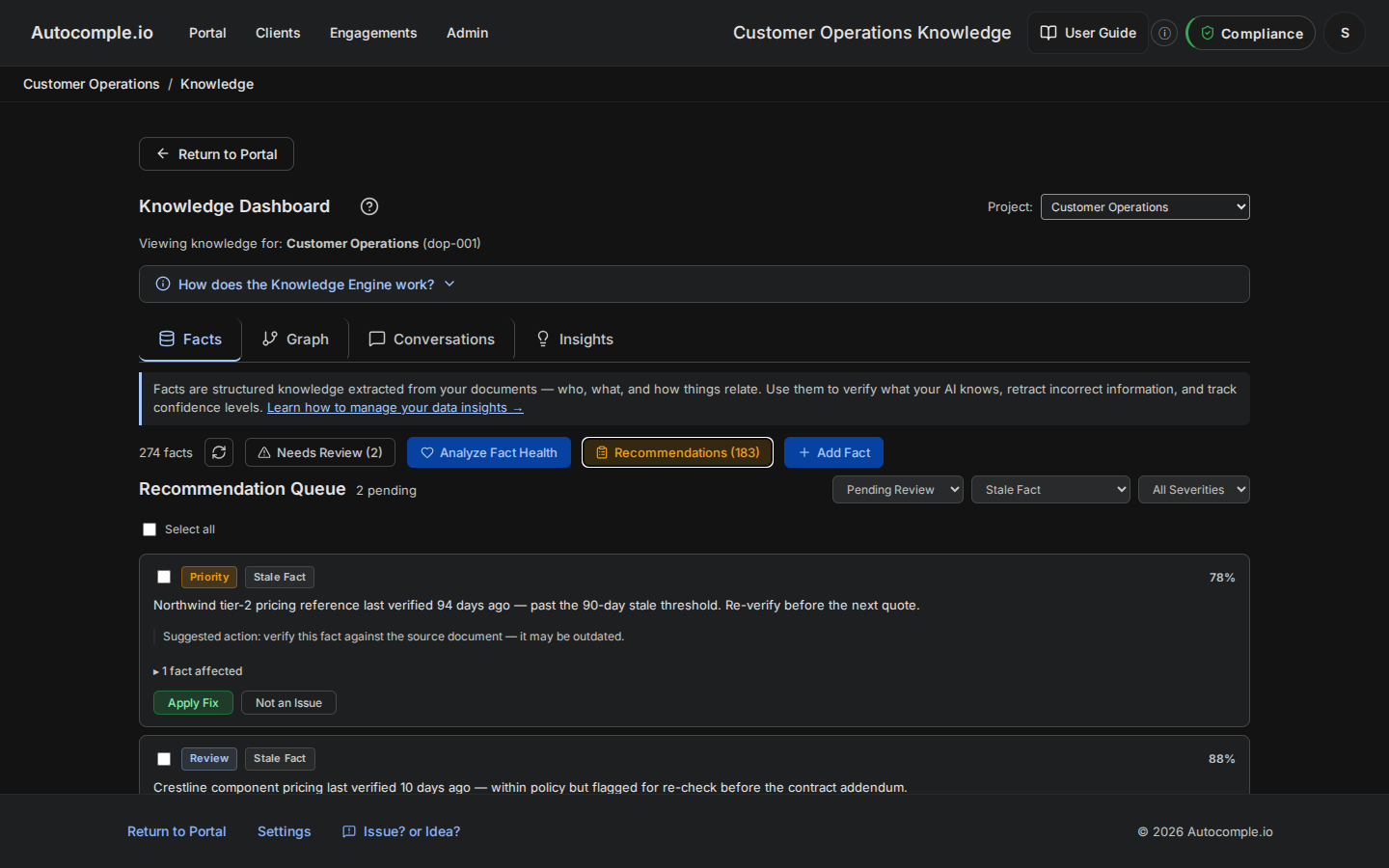
The demo workspace has a ready example: a pricing fact that's gone stale has surfaced as a pending recommendation. Opening it brings up the Resolve panel, where you decide what to do — re-confirm the price, retract it, or note that it's been handled.
The mental model
Treat the Insights tab like an inbox, not a dashboard. A dashboard you glance at; an inbox you process. Generate insights on a cadence, then triage every one — confirm the real, dismiss the noise, resolve what needs doing. An insights feed nobody triages rots exactly like an inbox nobody reads: it fills with stale and false items until you stop trusting any of it. The triage is not overhead on the feature; it is the feature.
The quiet payoff
Facts and the Graph answer the questions you bring. Conversations show you the questions your team brought. Insights bring you the questions nobody thought to ask — the contradiction you'd have hit at renewal, the gap you'd have discovered when a customer asked, the trend you'd have noticed too late. A knowledge base that's designed, fed well, navigated, maintained, and observed is no longer a passive archive. It's working for you. Keeping it that way — across all four tabs, on a rhythm — is the last habit, and it's the same design decision from Unit 01, made again on a cadence.